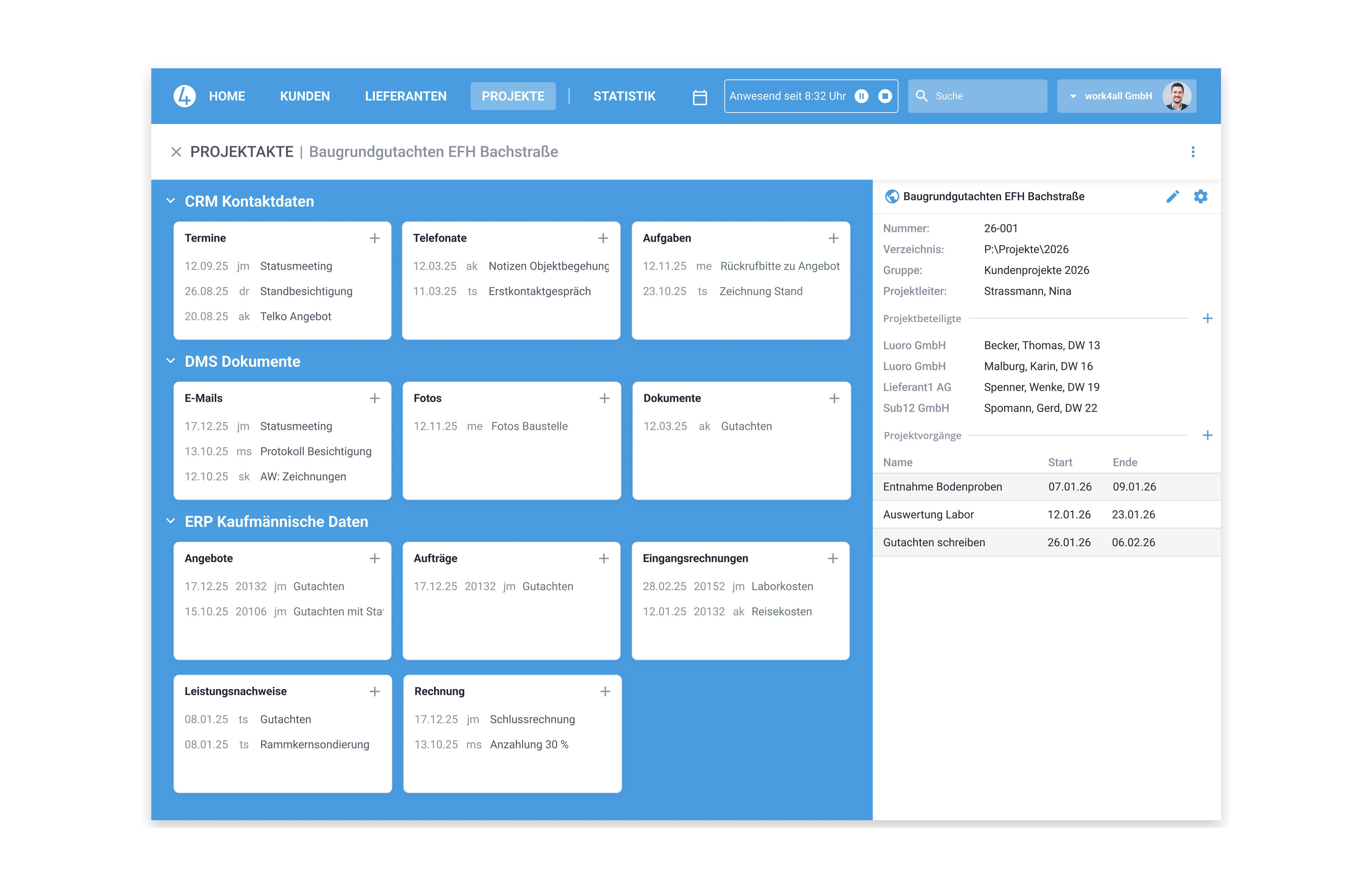
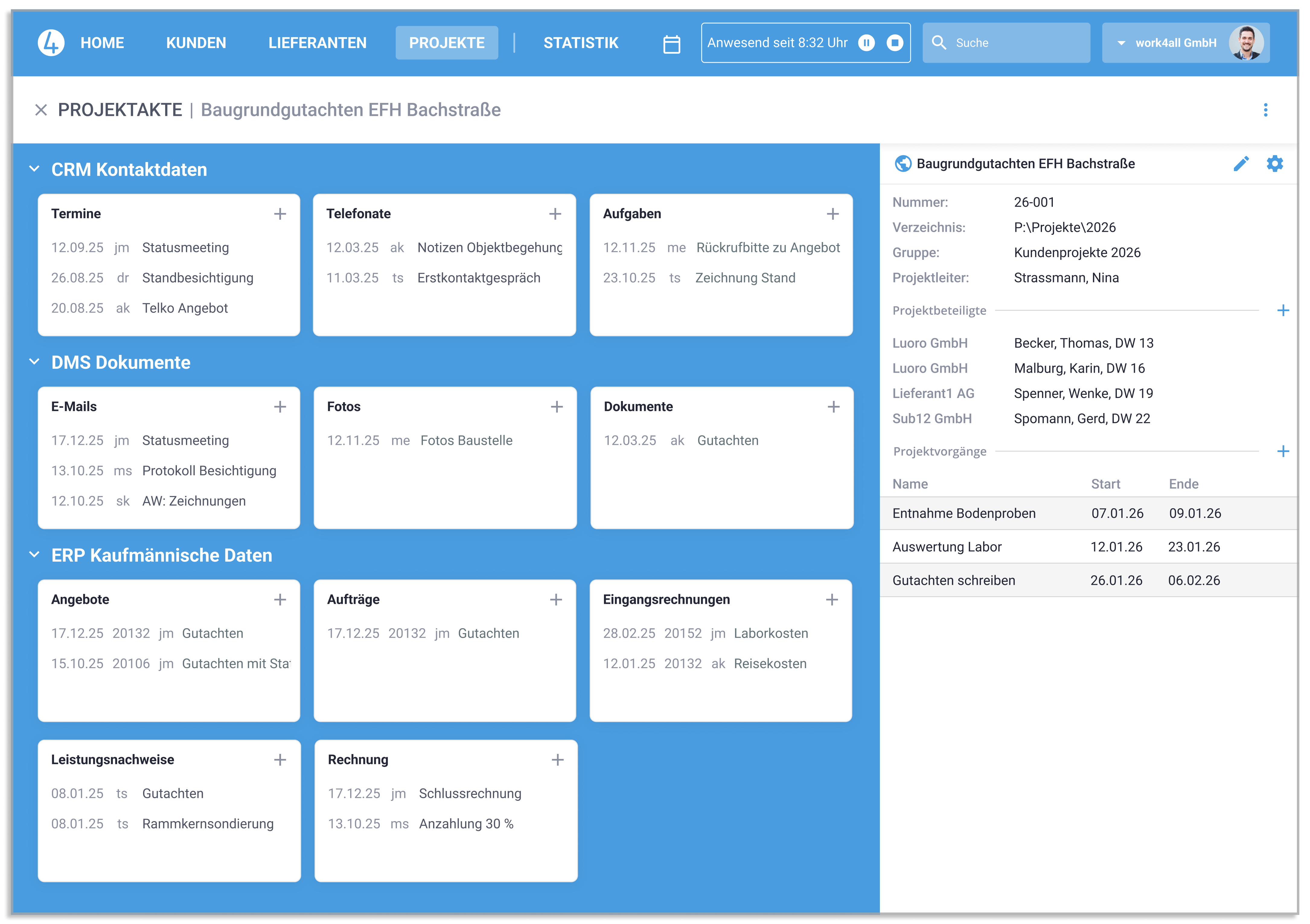
All emails, documents and commercial transactions (offers, orders, invoices, etc.) are stored in the project and can be viewed by all colleagues. This brings transparency to project work. Checklists also make project execution easier. Important and time-critical to-do's are no longer forgotten or overlooked.
Project business with a clear overview
Plan, manage, and analyze projects
In the cloud or on your own server
Over 35 years of project management experience
With integrated AI agents
Your All-In-One Solution
Overview of project business features
Create structure with the project file

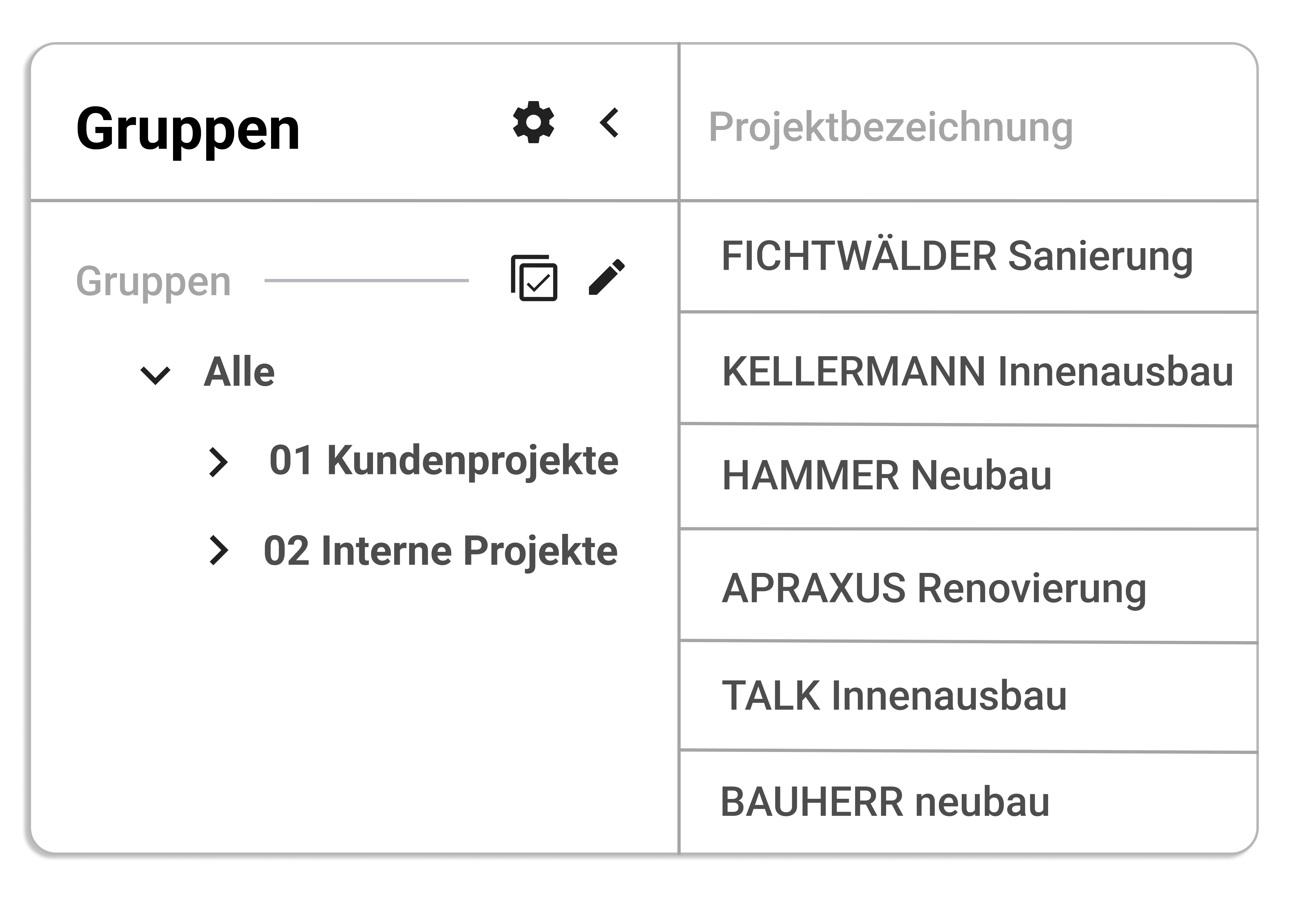
The Project list for an overview of several projects
The project list is a helpful tool, e.g. for your weekly project meeting. How is the project progressing? Which project manager works on which projects? Which projects have not yet been commissioned or have even been canceled? How many hours have we already worked on ongoing projects? The project list answers these and other questions with just one click.
Projects as cost centers
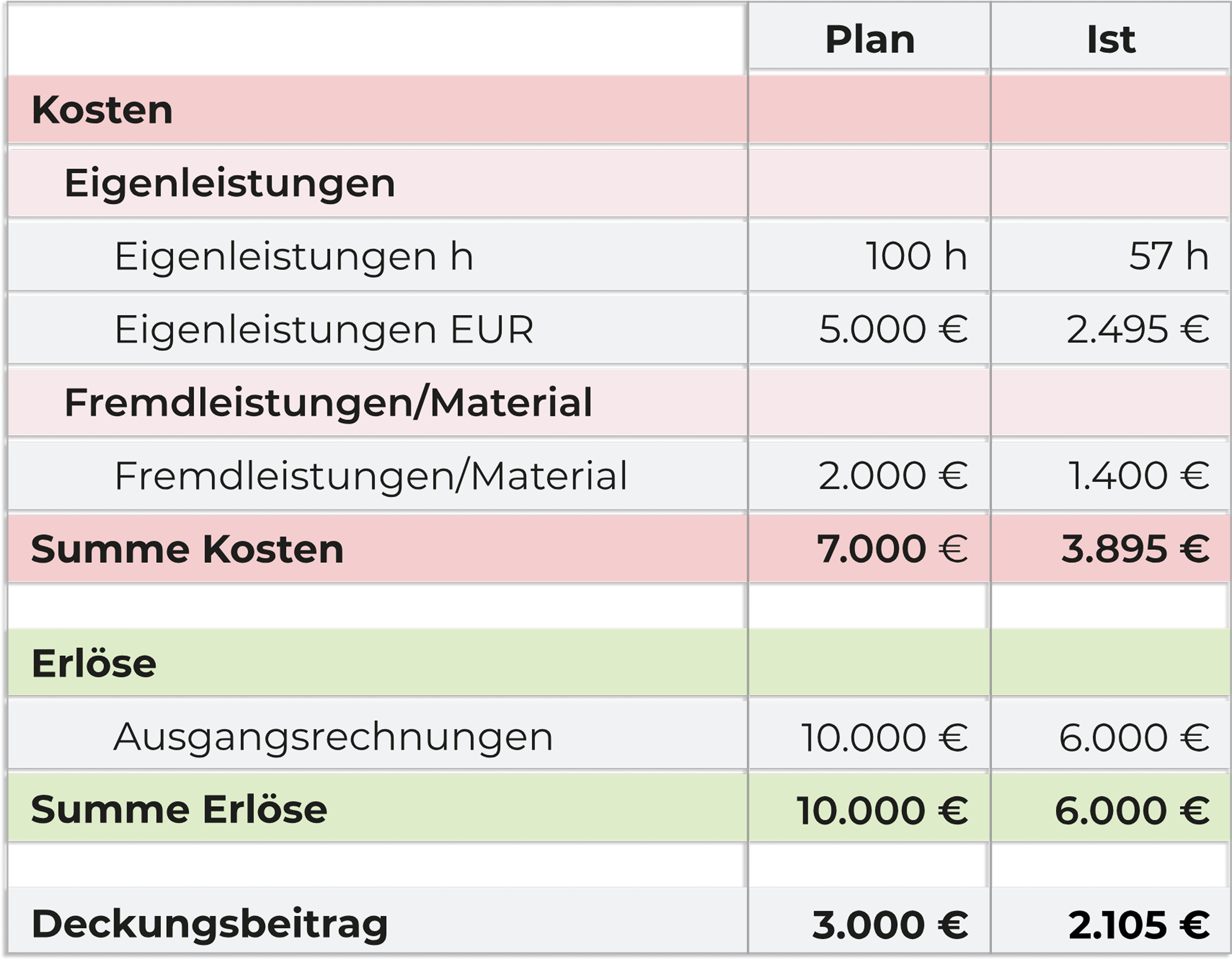
In addition to the organizational purpose, projects also have the option to be cost centers. Your consulting project with the customer is then open to in-house contributions (recording the time of your employees) and external services (incoming invoices from subcontractors).
Outgoing invoices are also assigned to the project and provide a complete overview of project controlling or the contribution margin.
Project Management/Projects as Organizational Unit
Feature overview
Single, collective and internal projects
Distribution lists for project teams
Any number of commercial orders possible in a project
Automatic management of project participants
Individual design of the project desk
Transforming order into project
Individual fields for the project mask
Project list with sorting, filtering and grouping functions
Project-specific addresses, e.g. construction site or training location
Recording of own and external services
Industry-specific forms
resource planning
Bring your growing business processes into a digital home
work4all connect what belongs together: projects, customers, invoices, documents, articles, employees. Everything clearly integrated in one software system.
One control centre instead of lots of special tools and makeshift solutions
Experienced process and digitalisation specialists by your side
Easy to use for all department - even when you're on the move
"Transparent customer and project management, fair pricing, and DATEV integration make work4all a true home for our business."

Managing Director, Steffens Systems GmbH