Find documents again
Store project documents in Windows Explorer and in work4all at the same time

Overview of project document management features
Document storage in industry-specific info windows
All project documents are clearly arranged in work4all filed. The info panels match the folder structure of your project. The integrated Explorer view of the project folder also gives you access to project documents that have been stored directly in Windows Explorer by external departments.

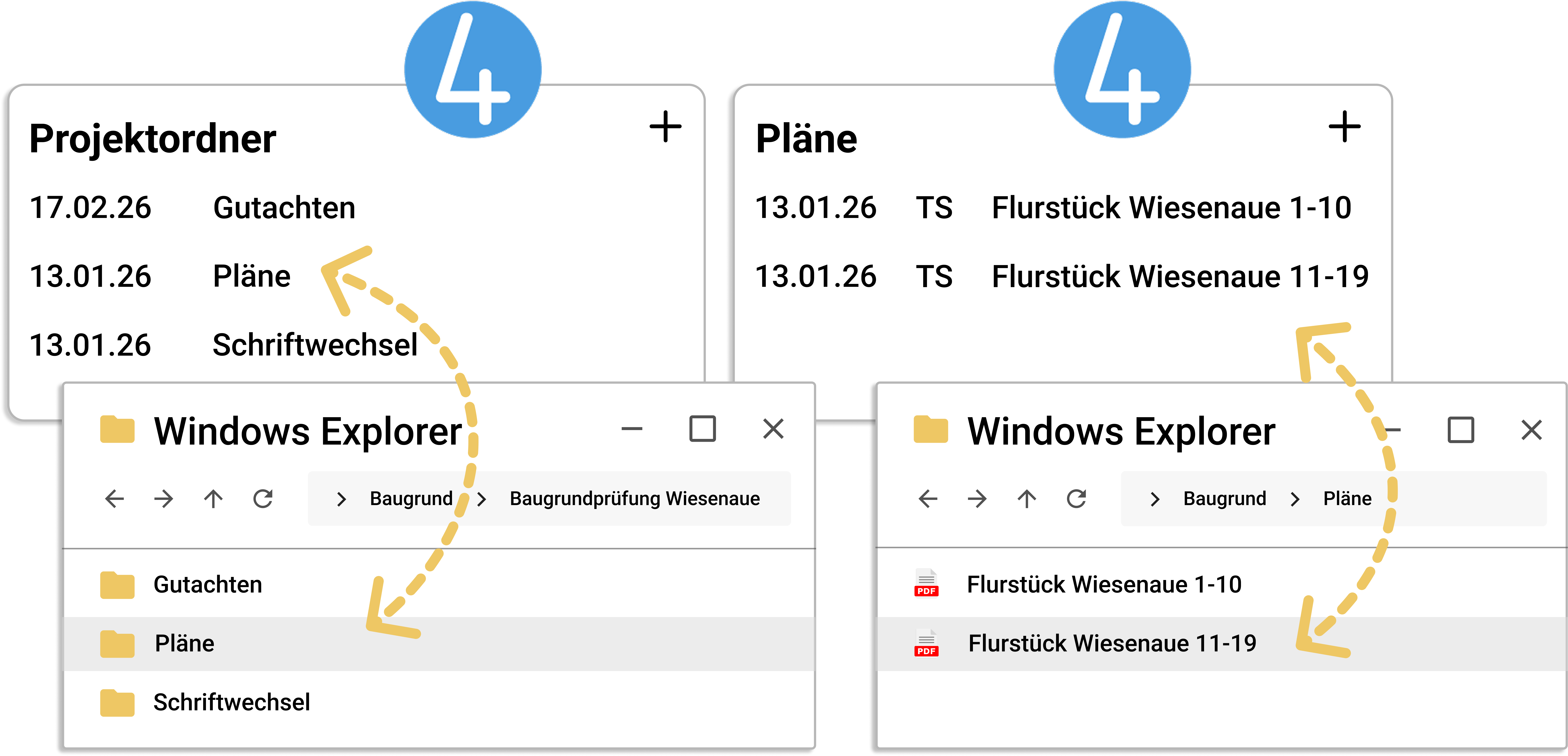

Project archive in Windows Explorer
The project documents are stored in the same subfolders of the project directory in Windows Explorer. work4all stores all files right here in your folders so that they can be used by all employees, regardless of whether they use work4all or not.
Feature overview
Freely selectable drive for project document storage
Quick launch of Windows Explorer from work4all
Access to documents stored directly in Windows Explorer, e.g. from external departments
Standardised folder structure for every project
Project folders can also be created below the customer folders
Integrating the explorer view into work4all
Bring your growing business processes into a digital home
work4all connect what belongs together: projects, customers, invoices, documents, articles, employees. Everything clearly integrated in one software system.
